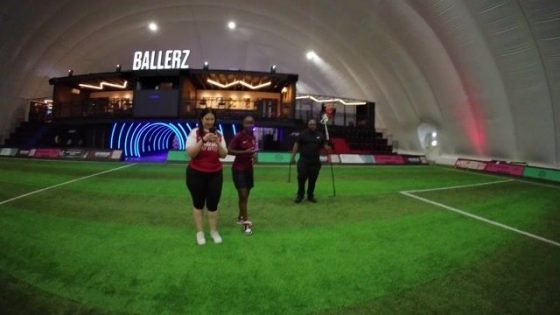
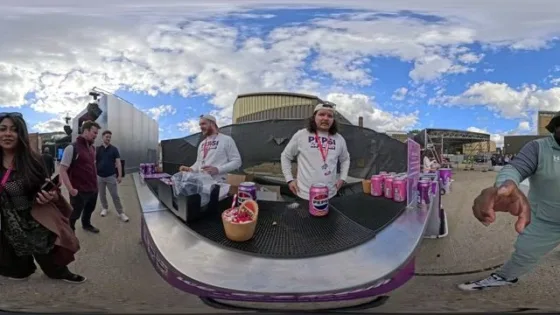
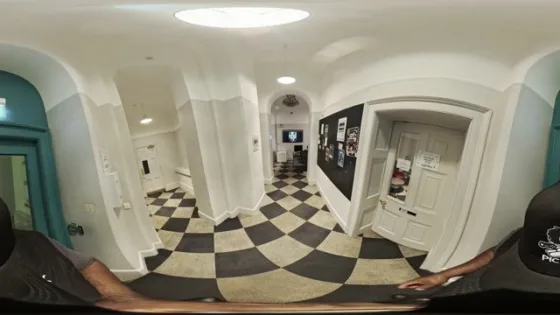
Every venue, exhibition, stadium, arena, festival, cultural space and live experience
contains more value than a single physical moment can capture. Pryntd turns events into
intelligent, accessible and commercially scalable shared realities.
One operating layer for the full experience economy.
From the room to the remote audience, Pryntd connects spatial intelligence, production,
accessibility and revenue into one measurable system.
Arenas, stadiums and major live moments
Conferences, exhibitions and brand activations
Heritage, culture and civic spaces
From venue activation to operational intelligence.
The UK’s live experience economy spans heritage buildings, galleries, museums, sports grounds,
arenas, conferences, brand activations, theatres and civic spaces. Each one depends on the same
core infrastructure: demand, access, production, coordination, data, safety, content and revenue.
England’s heritage sector alone contributed £44.9 billion in GVA in 2022 and
supported over 523,000 workers. The wider UK events industry is worth around £70 billion annually, driving tourism, footfall, local spend, cultural participation
and brand engagement.
Pryntd is designed for this wider opportunity. A listed Victorian building, a stadium, a major arena
or a temporary exhibition can all become a connected operating environment with hybrid access,
measurable engagement and new revenue layers.
Facts and figures
The investable opportunity sits where venues, events, hybrid participation, accessibility and
operational intelligence meet.
£44.9BGVA from England’s heritage sector in 2022 523,000+Jobs supported by the heritage sector 100,000sListed buildings across England and Wales £70BAnnual UK events industry value 600+Heritage assets officially at risk in England £60MEstimated restoration cost for the Tees Transporter Bridge 16.8MDisabled people in the UK, around 25% of the population 9.4MDisabled people feel excluded from events and experiences 2-5xPotential audience reach through hybrid access 40%+Potential operational efficiency improvement 60%+Potential engagement uplift
Sources include Historic England, UK Parliament evidence, Victorian Society / Guardian reporting,
House of Commons Library disability statistics, UK events industry reporting and Pryntd internal modelling.
The problem chain
Venues hold potential
Events create demand
Operations are fragmented
Access is uneven
Value is lost
The Pryntd counter flow
Venue activation
Event intelligence
Creative production
Professional coordination
Accessible participation
Revenue and evidence
From physical event to shared reality
A venue has audience demand, operational complexity, physical limits, access requirements and
untapped digital value. Pryntd activates it as a hybrid event environment where the experience
can be attended, captured, adapted, measured and monetised beyond the room.
Example activation:
Victorian Futures: Then, Now, Next
The same model can extend to stadium tours, arena shows, fan zones, conferences, exhibitions,
public realm events, galleries, festivals and cultural programmes.
Shared reality engine
Venue
Organiser
Creatives
Professionals
Audiences Pryntd Operational Intelligence Layer
One shared layer for access, operations, content, data, revenue and evidence.
One system for every stakeholder
Select a stakeholder to see how Pryntd changes their role, pain point, enabled capability
and contribution to the shared reality.
Venue
The physical space becomes the launch point.
The venue moves from isolated location to intelligent revenue generating environment.
Pain point
Limited utilisation, complex operations, physical capacity limits, access barriers and unclear digital ROI.
Pryntd enables
Digital twin, spatial mapping, accessibility overlays, hybrid event readiness, usage analytics and revenue modelling.
Measurable outcome
2-5x usable audience capacity through hybrid access.
40%+ operational efficiency improvement.
New revenue from digital tickets, sponsorship, licensing, hybrid events and venue data.
System contribution
The venue becomes the spatial, commercial and data foundation for the entire experience.
♿
Accessibility AI at the centre of every experience
The Pryntd accessibility icon sits at the centre of every Pryntd experience. Audiences can
talk, type or tap.
The AI adapts the environment for visual, auditory, cognitive, ADHD, blindness, mobility and
other access needs. For people who do not need accessibility support, it simply fades into
the background.
Before Pryntd
Venue = isolated physical location
Event = fragmented operational risk
Creatives = one off delivery
Professionals = disconnected reports
Audience = divided or excluded
After Pryntd
Venue = revenue generating shared reality
Event = intelligent operating system
Creatives = scalable content network
Professionals = coordinated service layer
Audience = unified participation layer
The UK has a £70 billion events industry, a £44.9 billion heritage sector and a vast network
of venues, arenas, cultural spaces and live experiences that still operate through fragmented
tools, disconnected services and limited accessibility. Pryntd unifies venues, organisers,
creatives, professionals and audiences into one operational intelligence system that activates
spaces, optimises events and makes participation accessible at scale.
Search your Connect connections or invite by email.
OYouOwnerOwner
Collaboration activity will appear here as people join and work on this tour.
Request access to collaborate on this Virtual Tour.
People collaborating on this Virtual Tour
0
AccessibilityAdapt this experience for you.
Interface
Choose what helps. You do not need to declare a disability.
These preferences describe how you want the experience to work. Pryntd does not require a diagnosis.
Checking…Accessibility readiness
Readiness is guidance for the current surface, not a legal certification.
Minimise to a single A at any time. Blue means accessibility adaptations are active; white means no adaptations are currently selected. Accessibility remains available even when the launcher is hidden. Restore it from Pryntd’s + menu, any Accessibility control, or Alt + A.