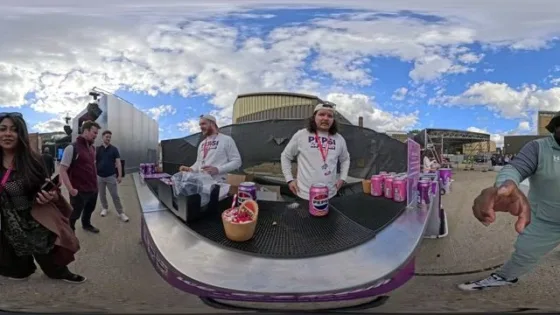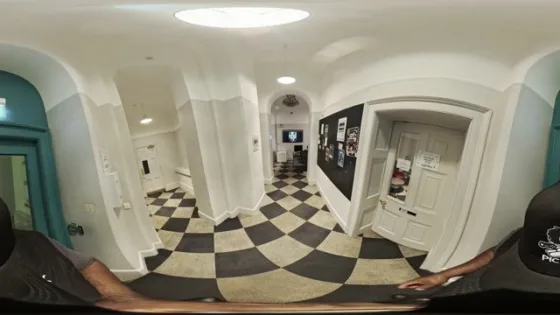

[rev_slider alias=”professionals-by-pryntd” slidertitle=”Professionals by Pryntd” layout=”auto”][/rev_slider]
For decades, digital experiences have been watched.
Screens delivered content, but kept people at a distance.
Immersive technology promises something fundamentally different.
The ability to step inside, explore, and participate
within the experience itself.
Immersion shifts digital interaction from observation to presence.
It allows people to engage with content spatially, not just visually.
Attention becomes involvement. Viewing becomes experience.
Users feel positioned within the experience rather than outside it
Interaction increases attention, retention, and depth of experience
Shared environments create stronger emotional and social interaction
Despite its potential, immersive technology has remained on the edges of everyday life.
Not because it lacks value, but because access has been restricted.
Headsets and dedicated systems require new behaviours and investment
Low adoption limits scale
Experiences are locked behind apps, downloads, and isolated platforms
Access becomes friction
If it is not already in your pocket, it does not scale.
Pryntd removes these barriers by shifting immersive technology into the browser.
Experiences can now be accessed through native browsers across smartphones, tablets,
computers, televisions, and extended reality devices including AR, VR and MR.
No downloads. No hardware dependency. Immediate access.
Runs across existing devices
Available across screens and XR environments
Motion and interaction directly within the browser
Pryntd brings together venues, organisers, creatives, professionals, and audiences
into a unified operational environment.
Instead of disconnected tools, each stakeholder operates within the same system.
Spaces become intelligent environments
Unified planning and delivery
Immersive content production
Integrated service layers
Seamless participation anywhere
One system. One flow. No fragmentation.
Accessibility is not added later. It is embedded at the infrastructure level.
Solve accessibility once, and every experience becomes inclusive.
Pryntd began with a simple but powerful starting point.
Transforming existing 2D content into immersive experiences.
This was achieved using devices and tools already available to creators.
Smartphones, tablets, DSLRs, 360 cameras, and 3D platforms became the foundation
for both on demand and live immersive experiences.
Devices
→
Tools
→
Sensors
→
Experiences
→
Operations
Everyday hardware captures and delivers immersive content
Existing creative workflows adapted into immersive formats
Motion and orientation enable interaction and spatial awareness
By establishing this foundation, Pryntd extends beyond content.
It enables the integration of operational tools directly within environments.
Creation, delivery, and operations converge into a single system,
driving efficiency across physical and digital experiences.
2x–5xAudience Reach
+40–70%Engagement
30–50%Operational Efficiency
1 in 4Inclusion
Infrastructure becomes measurable impact.
With access solved, immersive infrastructure naturally expands into new sectors.
Immersive patient care
Interactive learning environments
Immersive customer experiences
Explore destinations before arrival
Adoption becomes an extension, not a transformation.
See how improving accessibility, operational efficiency, and hybrid participation expands your audience and revenue.
Of disabled audience you can currently serve
Hybrid + accessibility + engagement impact
Sign in once and keep your access, activity and intelligence connected across Pryntd.

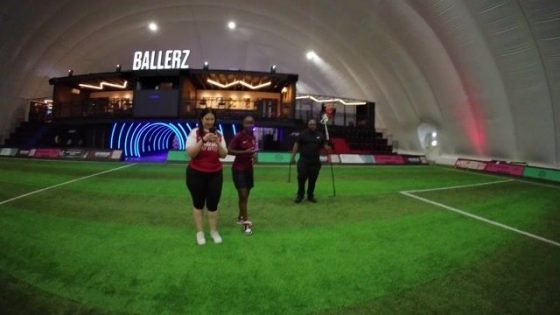
Virtual Tour
Search your Connect connections or invite by email.
Collaboration activity will appear here as people join and work on this tour.
Request access to collaborate on this Virtual Tour.
People collaborating on this Virtual Tour
Choose what helps. You do not need to declare a disability.
These preferences describe how you want the experience to work. Pryntd does not require a diagnosis.
Readiness is guidance for the current surface, not a legal certification.
Minimise to a single A at any time. Blue means accessibility adaptations are active; white means no adaptations are currently selected. Accessibility remains available even when the launcher is hidden. Restore it from Pryntd’s + menu, any Accessibility control, or Alt + A.