Loading...
PRYNTD
PRYNTD

Content Types

Blog Categories

Blog Tags

Post Date

Sort by

Sign In
  • Home
  • About Us
    • Who we are
    • Venues
    • Organisers
    • Creatives
    • Professionals
    • Audiences
    • Business
    • Use Case
    • How it works
    • Technology
    • FAQs
    • For Investors
  • About Us
    • What it does
    • Shared Reality
    • Shared Reality Success
    • Pryntd Shared Reality Solution
    • Shared Reality for you
    • SRE
    • Shared Reality
    • Pryntd solves
    • Spatial IQ
    • OpSense
    • Access
    • Capabilities
    • For Professionals
    • For Creatives
    • For Organisers
    • Venues
    • Loneliness
    • For Investors
  • Experiences
    • Music
    • Fashion
    • Ambience
    • Convergence
    • IO
    • Cosmos
    • Music Cosmos
    • Tesseract
    • Music 5D
  • Our Services
    • Venues
      • Approach
      • Hybrid
      • Presence
      • Solution
      • Pricing
    • Organisers
      • Organisers
      • Solution
      • Hire Professionals
      • Organiser Business
      • Sell Tickets
    • Creatives
      • About
      • Creator Admin
    • Professionals
      • Get Certified
      • List Services
      • Hotspots
    • Audiences
      • Audiences
      • Accessibility
      • Luna
      • About LUNA
  • Sell
    • My Products
    • Sell
    • Sell Tickets
  • Designers
    • 4D Admin
    • 3D admin
    • 2Dx Admin
    • 2D editor
    • Bookings
    • Posts
    • Sell
  • Your Profile
    • Privacy Policy
    • Delete your account
      • Statement
  • Buy
    • Shop
    • Buy Points
      • About AP
      • Buy AP
Rbm Pdp Ss25 Features Capture Data Mp4

Rbm Pdp Ss25 Features Capture Data Mp4

11 months ago
0 comments

mrbernny

Related Videos

14:38

Sulola Event

mrbernny
4 views
on 03/03/2025
10:21

Sulola Stem Sessions VR

mrbernny
3 views
on 10/07/2025

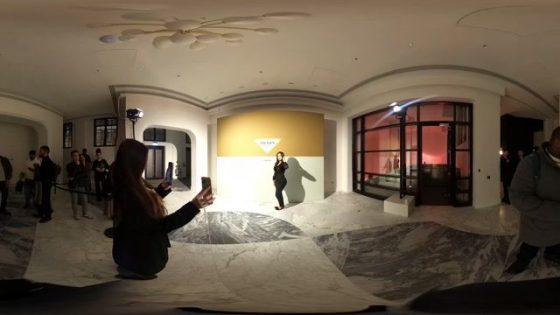
A 360° experience into Prada FW22 Womenswear Collection

mrbernny
1 view
on 23/05/2025

T1 vs DK | Round 1 Match 1 | Woori Bank 2025 LCK Playoffs

mrbernny
3 views
on 10/09/2025
14:38

ARUL 4D

mrbernny
4 views
on 16/04/2025

The Pat McAfee Show Live | Monday December 29th 2025

avarin Arinde
3 views
on 29/12/2025

More Posts

Pryntd Universal

mrbernny
1 week ago

England v Mexico Watch Party 3D

mrbernny
1 view
3 weeks ago

TCS Access Live Stream 2D POV

mrbernny
4 views
1 month ago

4D ThisConnectSports France Vs Senegal Watch Party

Adnan Omar
1 view
1 month ago

TCS Experience

mrbernny
3 views
2 months ago

TCS Full

mrbernny
8 views
2 months ago

TCS Shared Reality

mrbernny
7 views
2 months ago

Somerset House x Pryntd

mrbernny
20 views
2 months ago

Pryntd x Piccadilly Circus

mrbernny
10 views
2 months ago

SXSW London 2026

mrbernny
24 views
2 months ago

Every Disability Matters

mrbernny
2 months ago

Hope 93 x West End x Pryntd

mrbernny
1 view
2 months ago

Related Videos

02:09

FedoraPlug 1 Mp4

mrbernny
2 views
1 year ago
12:03

DJ Ag 9th April Handbrake 0

Adnan Omar
17 views
1 year ago

LA CASA DE LOS GEMELOS #2 | DÍA 22

avarin Arinde
7 months ago

The Breakfast Club Daily Live Stream!

avarin Arinde
3 views
7 months ago

Ride the Red Bull Global Rallycross in 360° – 4K

Berne Macintosh
1 view
9 months ago
00:30

Experience The Butterfly Trail At Outernet Mp4

mrbernny
4 views
1 year ago

More Posts

Pryntd Universal

mrbernny

England v Mexico Watch Party 3D

mrbernny
1 view

TCS Access Live Stream 2D POV

mrbernny
4 views

4D ThisConnectSports France Vs Senegal Watch Party

Adnan Omar
1 view

TCS Experience

mrbernny
3 views

TCS Full

mrbernny
8 views

TCS Shared Reality

mrbernny
7 views

Somerset House x Pryntd

mrbernny
20 views

Pryntd x Piccadilly Circus

mrbernny
10 views

SXSW London 2026

mrbernny
24 views

Every Disability Matters

mrbernny

Hope 93 x West End x Pryntd

mrbernny
1 view

Leave a Reply Cancel

Your email address will not be published. Required fields are marked *

  • Be the first to comment

Latest Posts

Pryntd Universal

on 20/07/2026

England v Mexico Watch Party 3D

1 view
on 06/07/2026

TCS Access Live Stream 2D POV

4 views
on 16/06/2026

4D ThisConnectSports France Vs Senegal Watch Party

1 view
on 15/06/2026

TCS Experience

3 views
on 12/06/2026

TCS Full

8 views
on 12/06/2026

TCS Shared Reality

7 views
on 11/06/2026

Somerset House x Pryntd

20 views
on 07/06/2026

Pryntd x Piccadilly Circus

10 views
on 02/06/2026

SXSW London 2026

24 views
on 01/06/2026

Hand Picked

04:08

Save Your Tears

20 views
00:07

All Out of Love

27 views
04:36

Imagine Dragons

20 views
00:07

Sweet love

7 views
Pryntd Shared Reality Infrastructure

For venues, organisers, creatives & professionals

Connect every audience. Align every stakeholder. Keep access alive.

Pryntd gives venues, organisers, creatives and professionals one connected audience workflow, while giving people continuous access across physical, virtual and hybrid participation.

CConnected workflows

Bring venues, organisers, creatives and professionals into one shared operational context, so audience decisions, content, access needs and follow-up move through a coordinated workflow instead of disconnected tools and handoffs.

24Continuous access

Keep the audience relationship active before, during and after each moment, with experiences, updates, communities and relevant content people can return to instead of access ending when the event does.

AAudience intelligence

Understand how people discover, join and participate across physical, virtual and hybrid environments, so every decision starts with shared audience context.

+Accessibility-first

Give more people a clear way in, with browser-based participation and audience journeys designed around different access needs from the start.

VVenue operations

Connect audience activity with operational context, helping teams understand demand, movement, service needs and participation as they happen.

WBrowser-native

Let audiences enter through a familiar browser without specialist hardware or another app, then move naturally between physical and digital touchpoints.

See how Pryntd helps→ Unlock Pryntd→

Physical, virtual and hybrid. One connected audience.

For Professionals

  • Get Certified
  • Sell Tickets
  • Inclusion Recognition
  • Disability Inclusion

For Creatives

  • Become a shared reality creative
  • What Pryntd is
  • Presence Enabled
  • Creators and Performers
  • Use Cases
  • Solving Physical Accessibility
  • IO
  • Ticketing Service Pricing
  • Contact

Business

  • About Us Operational Intelligence
  • The story of shared reality
  • Use Case
  • The three approaches
  • Feel Present in the Shared Reality
  • Professionals Operational Intelligence
  • Creatives Operational Intelligence
  • Events Operational Intelligence
  • Operational Intelligence
  • Unified Operational Infrastructure
  • For your event matters
  • Human Environments
  • Shared Reality The new interface layer
  • Evolution of Dimensions

About Pryntd

  • Ticketing Infrastructure
  • Monetise Interactions
  • Accessibility Solutions
  • Organiser Venue Solutions
  • Sell Tickets
  • For Organisers
  • Organiser Business
  • Unified Operational Infrastructure
  • For your event matters
  • Reimagining Watch Parties
  • The antidote for blue dot fever

For Organisers

  • Ticketing Infrastructure
  • Monetise Interactions
  • Accessibility Solutions
  • Organiser Venue Solutions
  • Sell Tickets
  • For Organisers
  • Organiser Business
  • Unified Operational Infrastructure
  • For your event matters
  • Reimagining Watch Parties
  • The antidote for blue dot fever

For Venues

  • Presence Enabled
  • Accessibility Solved for venues
  • Solving Physical Accessibility
  • IO
  • Unified Operations Platform for Hybrid and Accessible Venues
  • World Building
  • Shared Reality Pilots
  • For your event matters
  • Unified Operational Infrastructure
  • Contact

Technology

  • Understanding Shared Reality
  • Technology
  • Evolution of Dimensions
  • Convergence
  • Evolution of XR
  • Digital Twins
  • Business
  • FAQs
  • Use Case

Latest Posts

Most funny sports moments you have ever seen

14 views

Most funny sports moments you have ever seen

7 views

The November 2024 African Press Conference at Hope93

24 views

BXRN – Black representation in XR

7 views

Neuro Voices Event

16 views

MY 4D Intro – Adnan

18 views

Laura – Martingale Cottage

6 views

Royal Regency Tour

10 views

Trending

Pryntd Universal

England v Mexico Watch Party 3D

1 view

TCS Access Live Stream 2D POV

4 views

4D ThisConnectSports France Vs Senegal Watch Party

1 view

TCS Experience

3 views

TCS Full

8 views

TCS Shared Reality

7 views

Somerset House x Pryntd

20 views

User Generated Experiences

00:07

Exchange Tour Mp4

BADMAN INNA DI INDUSTRY.

DISGRUNTLED FT. J HUS & IRAH. PRE-SAVE NOW. 24.07.26 #chaseandstatus

Avengers: Doomsday | Official Trailer | In Theaters December 18

TCS Live England V Argentina Sip and Paint

01:15

Lancaster Room Mp4

01:15

Lancaster Room Mp4

PSDT Live

1 view

For Audiences

  • Demand Shared Reality
  • Access Shared Reality
  • Attendees Audiences Superfans
  • IO
  • Tesseract
    • Tesseract
    • Music Tesseract
  • Cosmos
    • Cosmos
    • Music Cosmos
  • Start
  • Begin
  • Infinite Presence
  • Reimagining Watch Parties
  • The antidote for blue dot fever
  • About Aura Points
  • DM

About Events

  • For every festival matters
  • For every music matters
  • For your event matters
  • Unified Operational Infrastructure
  • Ticketing Infrastructure
  • Technology

Connect with us

Copyright 2026 PRYNTD
Log In

RegisterLost your password?
Share
Report Video
Please login to report this video.
Accessibility
Accessibility modes
Epilepsy Safe Mode
Dampens color and removes blinks
This mode enables people with epilepsy to use the website safely by eliminating the risk of seizures that result from flashing or blinking animations and risky color combinations.
Visually Impaired Mode
Improves website's visuals
This mode adjusts the website for the convenience of users with visual impairments such as Degrading Eyesight, Tunnel Vision, Cataract, Glaucoma, and others.
Cognitive Disability Mode
Helps to focus on specific content
This mode provides different assistive options to help users with cognitive impairments such as Dyslexia, Autism, CVA, and others, to focus on the essential elements of the website more easily.
ADHD Friendly Mode
Reduces distractions and improve focus
This mode helps users with ADHD and Neurodevelopmental disorders to read, browse, and focus on the main website elements more easily while significantly reducing distractions.
Blindness Mode
Allows using the site with your screen-reader
This mode configures the website to be compatible with screen-readers such as JAWS, NVDA, VoiceOver, and TalkBack. A screen-reader is software for blind users that is installed on a computer and smartphone, and websites must be compatible with it.
Online Dictionary
    Readable Experience
    Content Scaling
    Default
    Text Magnifier
    Readable Font
    Dyslexia Friendly
    Highlight Titles
    Highlight Links
    Font Sizing
    Default
    Line Height
    Default
    Letter Spacing
    Default
    Left Aligned
    Center Aligned
    Right Aligned
    Visually Pleasing Experience
    Dark Contrast
    Light Contrast
    Monochrome
    High Contrast
    High Saturation
    Low Saturation
    Adjust Text Colors
    Adjust Title Colors
    Adjust Background Colors
    Easy Orientation
    Mute Sounds
    Hide Images
    Hide Emoji
    Reading Guide
    Stop Animations
    Reading Mask
    Highlight Hover
    Highlight Focus
    Big Dark Cursor
    Big Light Cursor
    Cognitive Reading
    Text to Speech
    Virtual Keyboard
    Navigation Keys
    Voice Navigation

    PRYNTD

    Accessibility Statement

    • pryntd.xyz
    • 29/07/2026

    Compliance status

    We firmly believe that the internet should be available and accessible to anyone, and are committed to providing a website that is accessible to the widest possible audience, regardless of circumstance and ability.

    To fulfill this, we aim to adhere as strictly as possible to the World Wide Web Consortium’s (W3C) Web Content Accessibility Guidelines 2.1 (WCAG 2.1) at the AA level. These guidelines explain how to make web content accessible to people with a wide array of disabilities. Complying with those guidelines helps us ensure that the website is accessible to all people: blind people, people with motor impairments, visual impairment, cognitive disabilities, and more.

    This website utilizes various technologies that are meant to make it as accessible as possible at all times. We utilize an accessibility interface that allows persons with specific disabilities to adjust the website’s UI (user interface) and design it to their personal needs.

    Additionally, the website utilizes an AI-based application that runs in the background and optimizes its accessibility level constantly. This application remediates the website’s HTML, adapts Its functionality and behavior for screen-readers used by the blind users, and for keyboard functions used by individuals with motor impairments.

    If you’ve found a malfunction or have ideas for improvement, we’ll be happy to hear from you. You can reach out to the website’s operators by using the following email

    Screen-reader and keyboard navigation

    Our website implements the ARIA attributes (Accessible Rich Internet Applications) technique, alongside various different behavioral changes, to ensure blind users visiting with screen-readers are able to read, comprehend, and enjoy the website’s functions. As soon as a user with a screen-reader enters your site, they immediately receive a prompt to enter the Screen-Reader Profile so they can browse and operate your site effectively. Here’s how our website covers some of the most important screen-reader requirements, alongside console screenshots of code examples:

    1. Screen-reader optimization: we run a background process that learns the website’s components from top to bottom, to ensure ongoing compliance even when updating the website. In this process, we provide screen-readers with meaningful data using the ARIA set of attributes. For example, we provide accurate form labels; descriptions for actionable icons (social media icons, search icons, cart icons, etc.); validation guidance for form inputs; element roles such as buttons, menus, modal dialogues (popups), and others. Additionally, the background process scans all the website’s images and provides an accurate and meaningful image-object-recognition-based description as an ALT (alternate text) tag for images that are not described. It will also extract texts that are embedded within the image, using an OCR (optical character recognition) technology. To turn on screen-reader adjustments at any time, users need only to press the Alt+1 keyboard combination. Screen-reader users also get automatic announcements to turn the Screen-reader mode on as soon as they enter the website.

      These adjustments are compatible with all popular screen readers, including JAWS and NVDA.

    2. Keyboard navigation optimization: The background process also adjusts the website’s HTML, and adds various behaviors using JavaScript code to make the website operable by the keyboard. This includes the ability to navigate the website using the Tab and Shift+Tab keys, operate dropdowns with the arrow keys, close them with Esc, trigger buttons and links using the Enter key, navigate between radio and checkbox elements using the arrow keys, and fill them in with the Spacebar or Enter key.Additionally, keyboard users will find quick-navigation and content-skip menus, available at any time by clicking Alt+1, or as the first elements of the site while navigating with the keyboard. The background process also handles triggered popups by moving the keyboard focus towards them as soon as they appear, and not allow the focus drift outside it.

      Users can also use shortcuts such as “M” (menus), “H” (headings), “F” (forms), “B” (buttons), and “G” (graphics) to jump to specific elements.

    Disability profiles supported in our website

    • Epilepsy Safe Mode: this profile enables people with epilepsy to use the website safely by eliminating the risk of seizures that result from flashing or blinking animations and risky color combinations.
    • Visually Impaired Mode: this mode adjusts the website for the convenience of users with visual impairments such as Degrading Eyesight, Tunnel Vision, Cataract, Glaucoma, and others.
    • Cognitive Disability Mode: this mode provides different assistive options to help users with cognitive impairments such as Dyslexia, Autism, CVA, and others, to focus on the essential elements of the website more easily.
    • ADHD Friendly Mode: this mode helps users with ADHD and Neurodevelopmental disorders to read, browse, and focus on the main website elements more easily while significantly reducing distractions.
    • Blindness Mode: this mode configures the website to be compatible with screen-readers such as JAWS, NVDA, VoiceOver, and TalkBack. A screen-reader is software for blind users that is installed on a computer and smartphone, and websites must be compatible with it.
    • Keyboard Navigation Profile (Motor-Impaired): this profile enables motor-impaired persons to operate the website using the keyboard Tab, Shift+Tab, and the Enter keys. Users can also use shortcuts such as “M” (menus), “H” (headings), “F” (forms), “B” (buttons), and “G” (graphics) to jump to specific elements.

    Additional UI, design, and readability adjustments

    1. Font adjustments – users, can increase and decrease its size, change its family (type), adjust the spacing, alignment, line height, and more.
    2. Color adjustments – users can select various color contrast profiles such as light, dark, inverted, and monochrome. Additionally, users can swap color schemes of titles, texts, and backgrounds, with over seven different coloring options.
    3. Animations – person with epilepsy can stop all running animations with the click of a button. Animations controlled by the interface include videos, GIFs, and CSS flashing transitions.
    4. Content highlighting – users can choose to emphasize important elements such as links and titles. They can also choose to highlight focused or hovered elements only.
    5. Audio muting – users with hearing devices may experience headaches or other issues due to automatic audio playing. This option lets users mute the entire website instantly.
    6. Cognitive disorders – we utilize a search engine that is linked to Wikipedia and Wiktionary, allowing people with cognitive disorders to decipher meanings of phrases, initials, slang, and others.
    7. Additional functions – we provide users the option to change cursor color and size, use a printing mode, enable a virtual keyboard, and many other functions.

    Browser and assistive technology compatibility

    We aim to support the widest array of browsers and assistive technologies as possible, so our users can choose the best fitting tools for them, with as few limitations as possible. Therefore, we have worked very hard to be able to support all major systems that comprise over 95% of the user market share including Google Chrome, Mozilla Firefox, Apple Safari, Opera and Microsoft Edge, JAWS and NVDA (screen readers).

    Notes, comments, and feedback

    Despite our very best efforts to allow anybody to adjust the website to their needs. There may still be pages or sections that are not fully accessible, are in the process of becoming accessible, or are lacking an adequate technological solution to make them accessible. Still, we are continually improving our accessibility, adding, updating and improving its options and features, and developing and adopting new technologies. All this is meant to reach the optimal level of accessibility, following technological advancements. For any assistance, please reach out to